

Appearance
Smartcodes and Personalization (FluentCRM)
With FluentPlayer Pro, you can create a truly personalized viewing experience by using Smartcodes. When integrated with FluentCRM, the player can dynamically replace placeholders with real user data—like a viewer's name or email—directly inside the video player’s text elements.
What are Smartcodes?
Smartcodes are dynamic placeholders (merge tags) that look like double braces, such as {{contact.first_name}}. When a logged-in user or a known contact views your video, FluentPlayer automatically replaces these tags with the specific information stored in their FluentCRM profile.
Where to Use Smartcodes
You can insert Smartcodes into several areas of the player to engage your audience:
- Video Titles: Create a personalized welcome by adding a name to the title overlay.
- Interactive Layers: Use them inside CTA buttons or Text Overlays (e.g., "Hey
{{contact.first_name}}, check this out!"). - Email Capture: Pre fill or personalize the message on your lead generation forms.
- Timed Content: Display personalized instructions or notes in the area below the player.
How to Configure Personalization
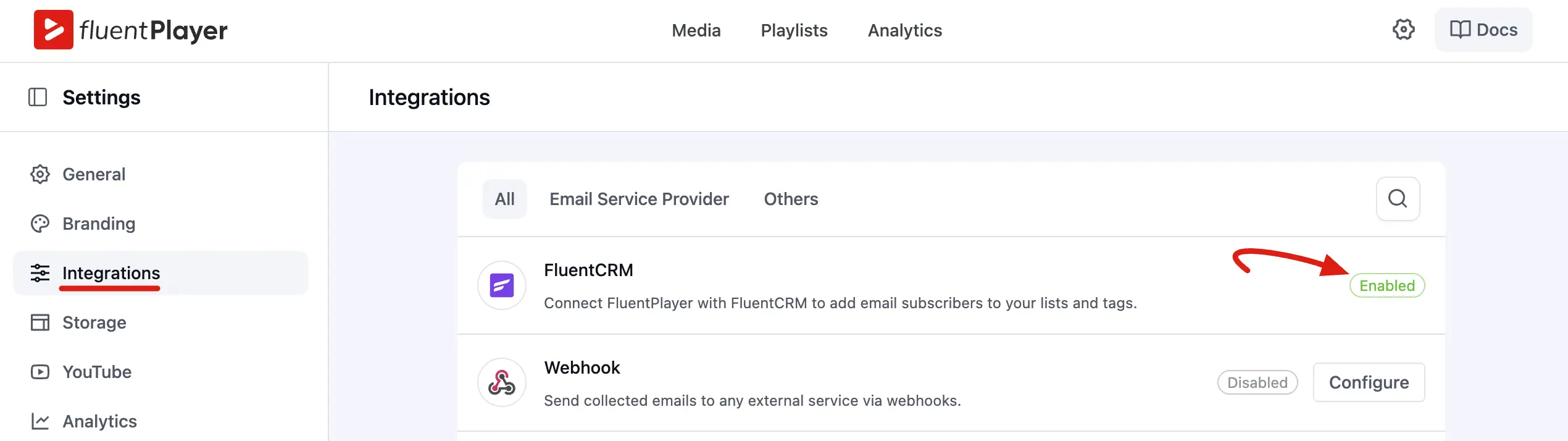
1. Connect FluentCRM
- Go to FluentPlayer Pro → Settings → Integrations.
- Locate the FluentCRM card and ensure it is Enabled.
NOTE
Since FluentCRM is WordPress native, no API keys are required.
2. Insert Smartcodes in the Editor
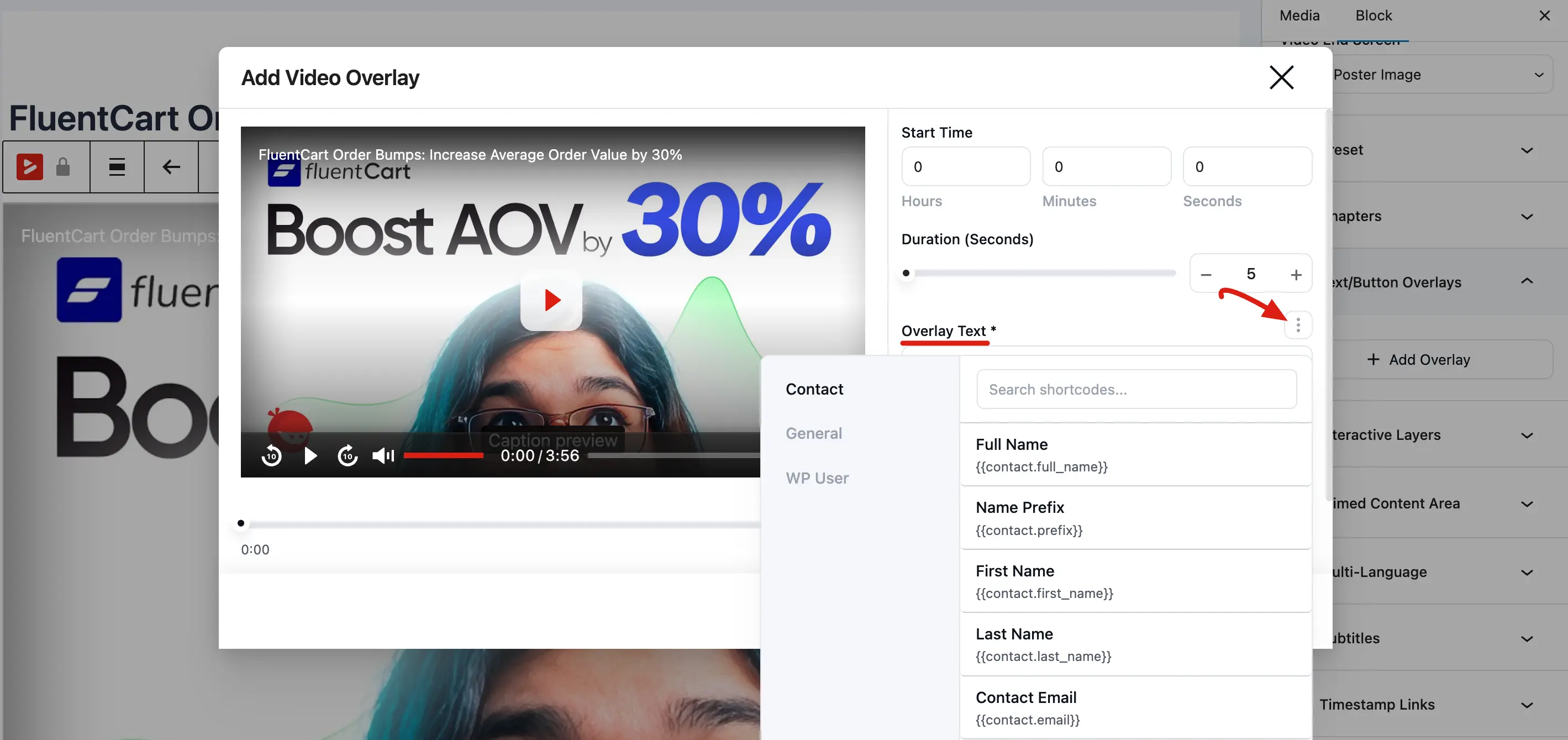
- Open your video in the Media editor.
- In the Block tab, look for any text field like Title Overlay or Overlay Text/Button.
- Click the Tag icon (three dot) next to the text field to open the Smartcode selector.
- Choose the data you want to display (e.g., First Name, Email, Profile Link).
3. Test the Experience
- Log in to your site as a test user that exists in your FluentCRM contact list.
- View the page containing your video. The placeholders should now show your actual contact details.
Available Smartcode Examples
| Data Type | Smartcode |
|---|---|
| First Name | {{contact.first_name}} |
| Email Address | {{contact.user_email}} |
| Full Name | {{contact.full_name}} |
| Profile Link | {{user.profile_link}} |
Important
Smartcodes only work for identified visitors (logged in users or those who have previously submitted a form). Anonymous visitors will typically see the default text or an empty space.
Smartcodes take your video marketing to the next level by making every viewer feel seen. Whether you are greeting a student in a course or offering a personalized deal to a lead, this integration helps build a stronger connection with your audience.